


Custom Jukebox
Music
Play NBS music through personal controls, persistent signs, and custom records in vanilla jukeboxes.
- Paper
- Java 25+
- v1.2.0


Redstone
Connect more. Wire less.
Link lamps, copper bulbs, and container inventories across distance with named groups and in-game tools.
Light groups synchronise state; container groups share inventories. The Circuit Tool assigns, inspects, and highlights linked blocks. Hopper transfers work with supported wireless containers.
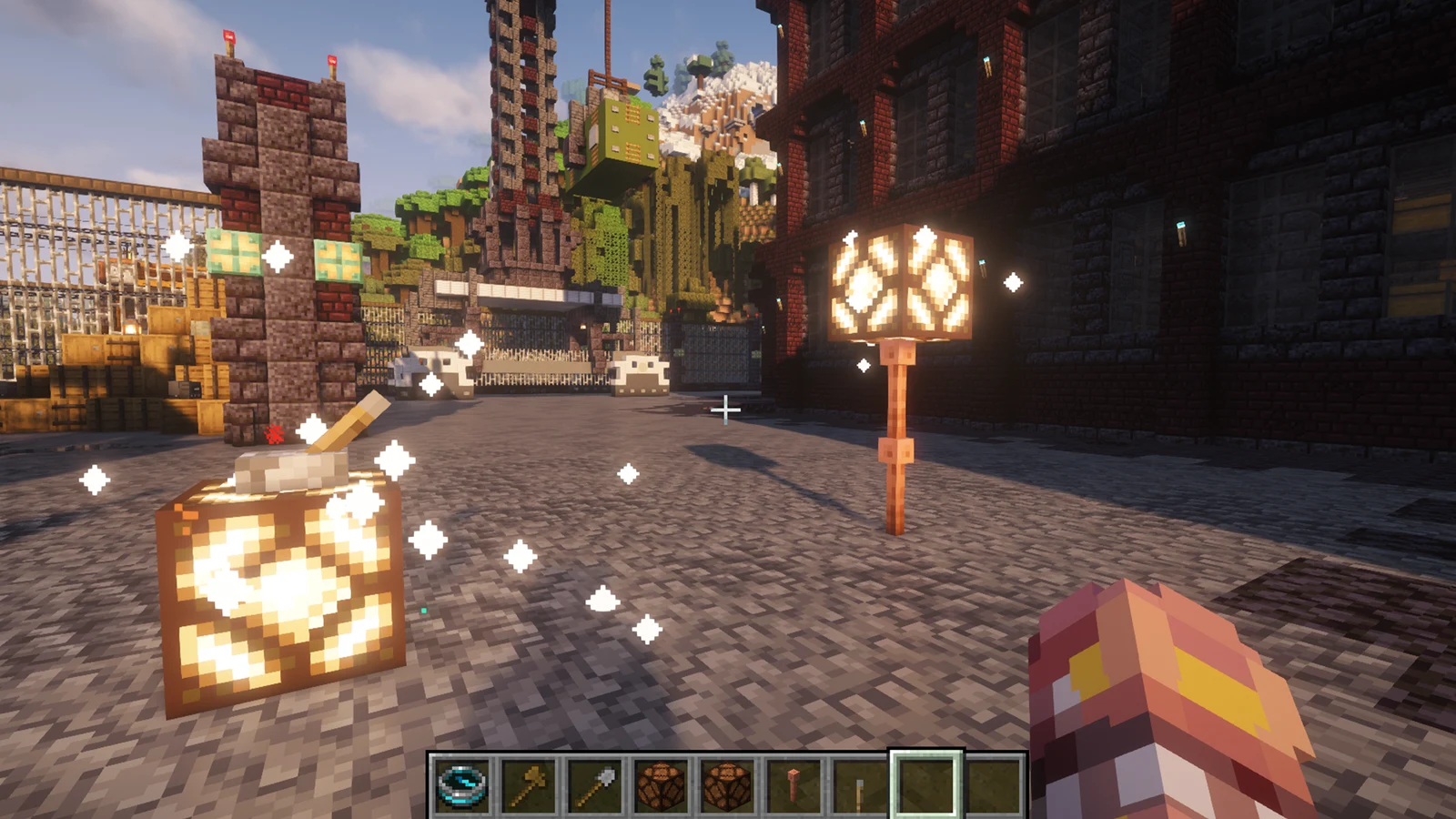
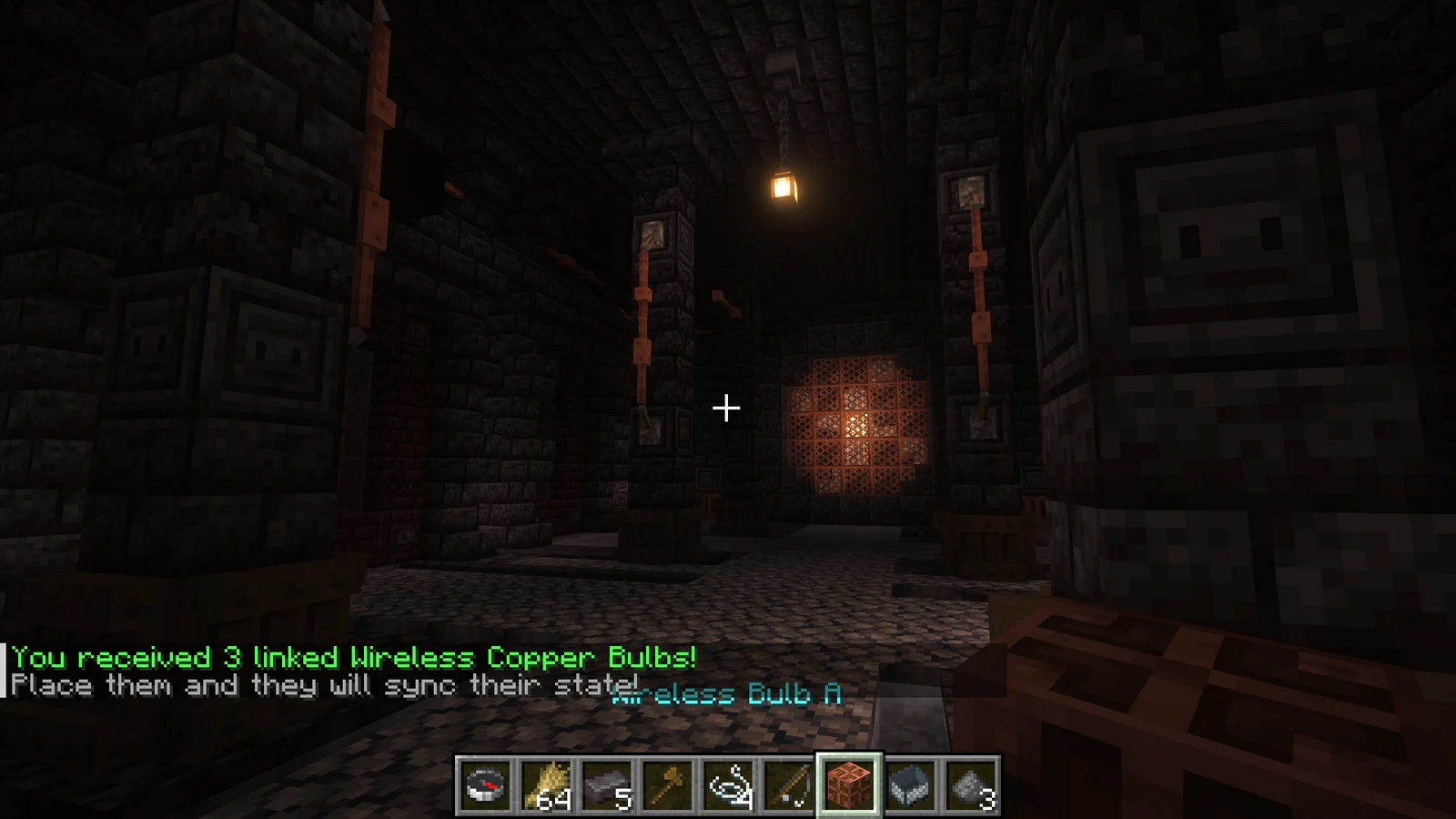
Create linked groups of copper bulbs or redstone lamps that synchronize state across any distance (2-26 blocks per group)
Create linked groups of chests, barrels, shulker boxes, or copper chests that share inventory in real time
Visual interface for managing all wireless groups with category organization, category descriptions, custom naming, icon assignment, and quick tool buttons
Management and diagnostic tool for adding/removing blocks, inspecting wireless groups, and showing color-coded glowing outlines per group
Recover lost or accidentally broken wireless blocks that still belong to an existing group
Full support for normal, exposed, weathered, and oxidized copper bulbs and chests - including all waxed variants
Support for all 17 shulker box colors as wireless container variants
Wireless containers work seamlessly with hoppers for automated item transfer and sorting systems
All group data is saved automatically and survives server restarts
Run Paper with Java 21 or newer, built for Minecraft 1.21.10. No other plugins are required.
Stop the server, download Wireless-Redstone-1.5.0.jar, and place it in plugins/. When upgrading, replace the previous JAR.
Start the server and check the console. Review the generated configuration with the release documentation.
/wireless create workshopCreate a named group and use its Circuit Tool to assign compatible blocks. Open /wireless to manage your groups.
| Command | Description |
|---|---|
/wireless | Open management GUI (same as /wireless gui) |
/wireless help | Show command help |
/wireless create | Ask for a new group name and give a creation-mode Circuit Tool |
/wireless create <groupName> | Give a Circuit Tool for an existing group, or creation-mode tool for a named new group. Use category/groupName to categorize it |
/wireless modify name <groupName> <newName> | Rename a group |
/wireless gui [--all] | Open management GUI |
/wireless reload | Reload configuration files (admin only) |
| Permission | Description | Default |
|---|---|---|
wirelessredstone.use | Allows using wireless redstone commands | op |
wirelessredstone.teleport | Allows teleporting to bulb locations via GUI | op |
wirelessredstone.remove | Allows removing bulb groups via GUI | op |
wirelessredstone.admin | Allows viewing/managing all players' groups and using admin actions | op |
| File | Purpose |
|---|---|
config.yml | Plugin settings |
bulbs.yml | Bulb/lamp groups, ownership, names, category links, variant material, locations |
chests.yml | Container groups, shared inventories, ownership, names, category links, locations |
categories.yml | Category definitions, owners, descriptions, icons |
Wireless Redstone v1.5.0
Wireless Redstone v1.5.0 extends connector selection and inventory interaction handling.
Bug reports, questions, and contributions go to this plugin’s GitHub repository.
Music
Play NBS music through personal controls, persistent signs, and custom records in vanilla jukeboxes.

Automation
Crush whitelisted blocks with pistons, a configurable target block, and adjustable drops.


Mining tools
Add mounted excavation, ore scanning, magnetic hoppers, return ropes, and useful mining equipment.