


Custom Jukebox
Music
Play NBS music through personal controls, persistent signs, and custom records in vanilla jukeboxes.
- Paper
- Java 25+
- v1.2.0


Transport
Build a better rail network.
Configure minecart speed, collection, shared preset storage, and transport effects.
Six speed levels, collection filters, shared storage, and optional chunk loading are configurable through named presets. Presets and per-cart data persist across restarts.
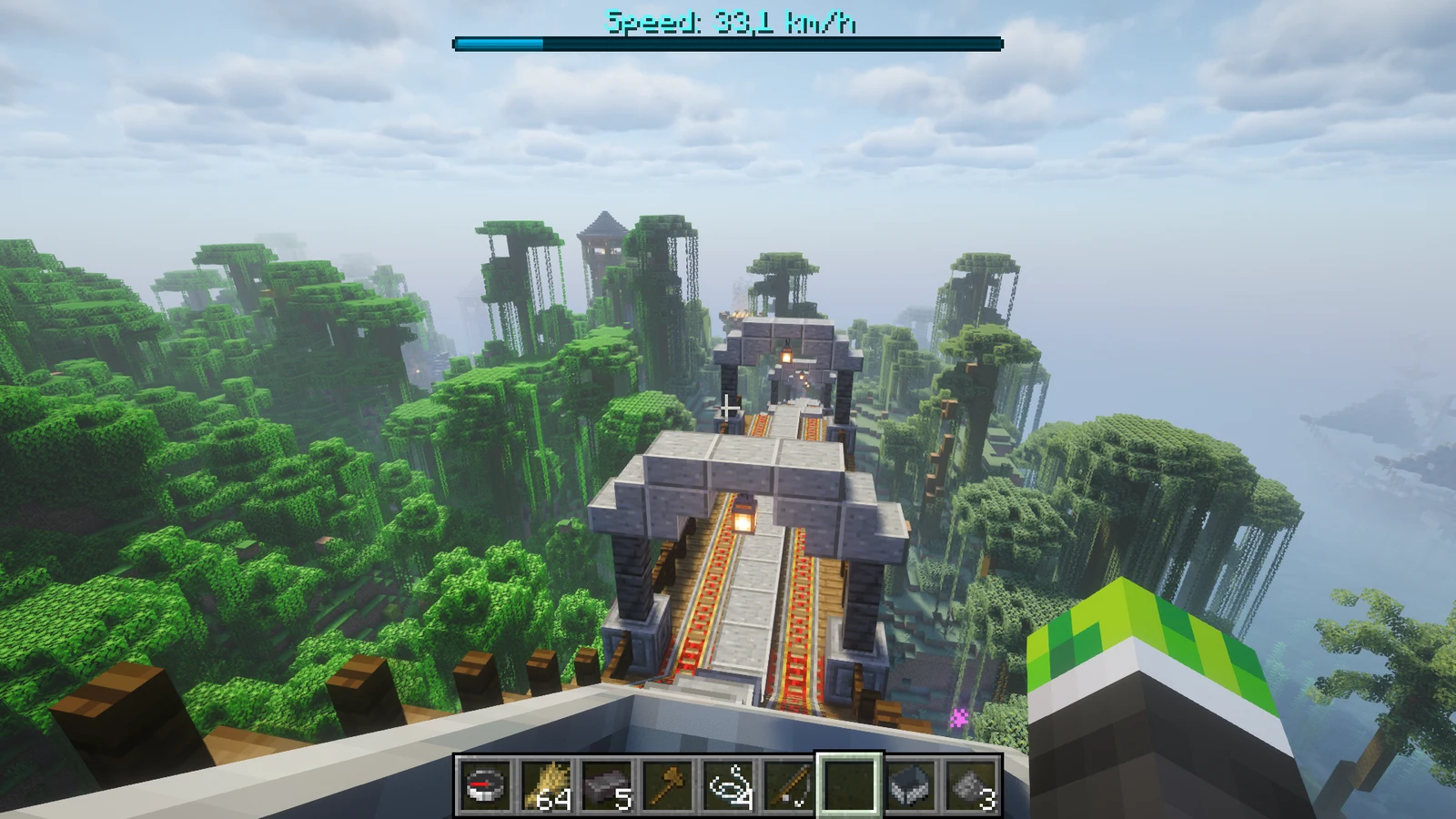
Six configurable speed levels (0.25x to 4.0x) with intelligent physics handling for curves, uphill sections, and speed transitions
Automatic item collection within a configurable radius (1-5 blocks) with per-cart blacklist filtering for precise control
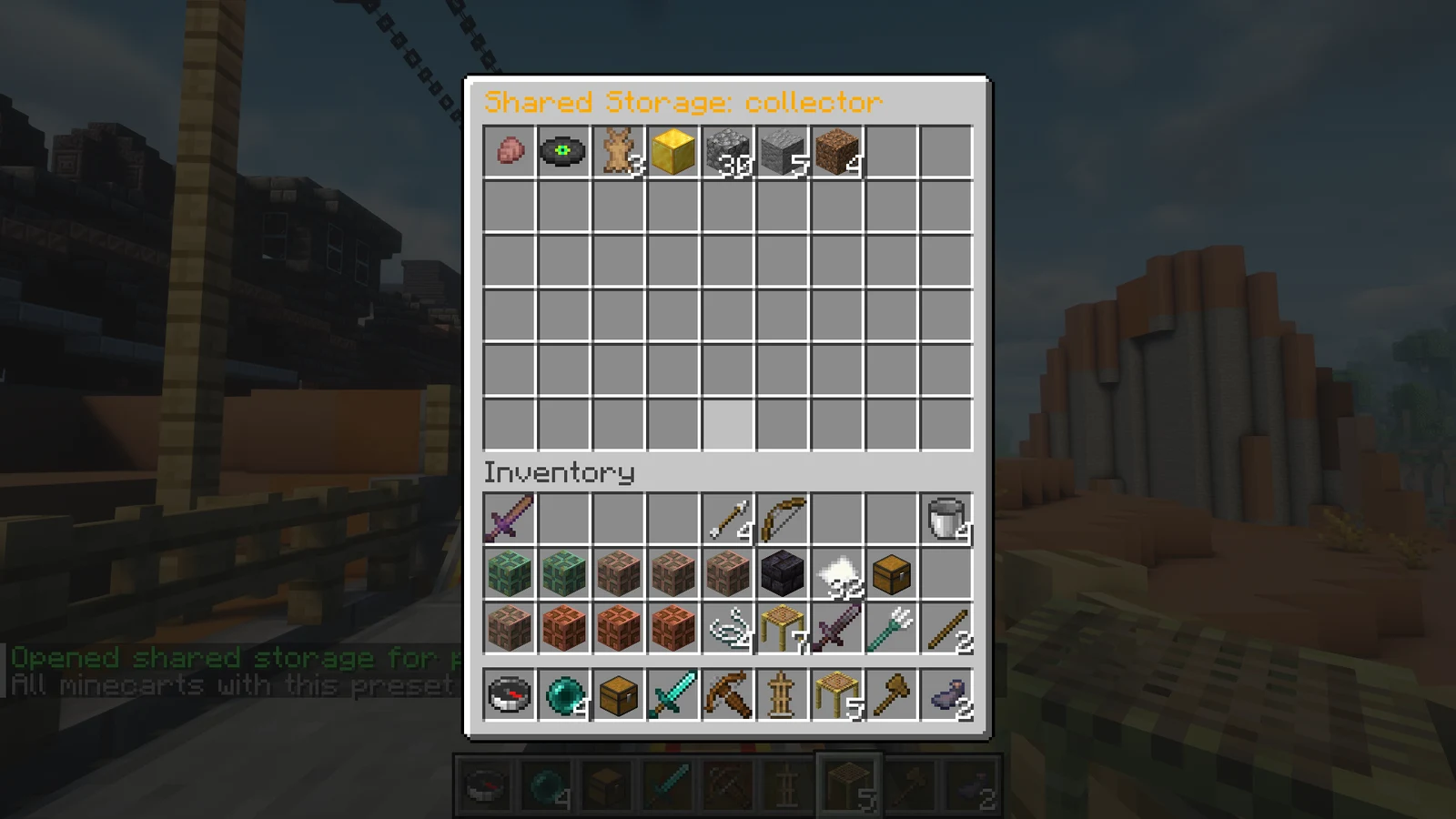
Minecarts with presets use shared preset storage inventories (54 slots) that can be opened and managed via commands
Create, save, and share named minecart configurations using sticks - apply saved presets to any cart via right-click
Three built-in standard presets for common use cases - Speed, Collector, and Magnet configurations
Enhanced curve navigation, uphill momentum preservation, multi-block position checking, and anti-stuck mechanisms for smooth travel
Optional minecart-to-minecart attraction for forming train convoys with intelligent collision prevention
Customizable particle trails with intensity scaling based on speed and multiple particle type options
BossBar display showing current velocity in km/h with color-coded speed indicators
Automatic chunk force-loading with timed unloading to ensure smooth travel across unloaded areas
Open storage and hopper inventories while seated in a minecart using the F key
All per-cart settings and preset data are saved to YAML and persist across server restarts
Run Spigot / Paper with Java 17 or newer, built for Minecraft 1.19.4. No other plugins are required.
Stop the server, download Rail-Boost-1.0.5.jar, and place it in plugins/. When upgrading, replace the previous JAR.
Start the server and check the console. Review the generated configuration with the release documentation.
/railboost listBrowse the installed presets and obtain a preset stick with /railboost preset <name>. Right-click a minecart to apply it.
| Command | Description |
|---|---|
/railboost help | Show command help |
/railboost preset <name> | Give yourself a preset stick for an existing preset |
/railboost give <player> <preset> | Give another player a preset stick |
/railboost create <name> | Create a new preset with default settings |
/railboost edit <preset> <setting> <value> | Edit one setting on a preset |
/railboost edit <preset> storage | Open shared storage inventory for a preset |
/railboost list | List all available presets with summary settings |
/railboost delete <preset> | Delete a preset |
| Permission | Description | Default |
|---|---|---|
railboost.use | Allows use of RailBoost features | true |
railboost.admin | Administrative access to RailBoost | op |
| Setting | Value | Description |
|---|---|---|
speed | 1..6 | Speed level (1 = Slow, 6 = Ultra Fast) |
autopickup | true/false | Toggle item auto-pickup |
radius | 1..5 | Auto-pickup radius in blocks |
speedometer | true/false | Toggle BossBar speedometer display |
chunkload | true/false | Toggle temporary force-loading of traversed chunks |
magnet | true/false | Toggle minecart magnetism behavior |
effects | true/false | Toggle particle trail effects |
effecttype | Bukkit particle name | Set particle type (e.g. FLAME, END_ROD) |
blacklist | add/remove <material> | Add or remove a material from the auto-pickup blacklist |
storage | *(none)* | Open shared storage GUI for this preset |
| Key | Type | Description |
|---|---|---|
name | string | Display name of the preset |
speed | int | Speed level 1..6 |
autopickup | boolean | Auto-pickup enabled flag |
pickupRadius | int | Pickup radius 1..5 |
speedometer | boolean | BossBar speed display flag |
chunkload | boolean | Chunk loading flag |
magnet | boolean | Magnet mode flag |
effects | boolean | Particle effects flag |
effectType | string | Bukkit particle type name |
blacklist | list | Material names blocked from auto-pickup |
| Preset | Defaults |
|---|---|
speed | speed=4, speedometer=true |
collector | autopickup=true, pickupRadius=4, speed=2 |
magnet | magnet=true, speed=3, effects=true |
Rail Boost v1.0.5
Rail Boost v1.0.5 updates particle handling for renamed villager particle constants.
Bug reports, questions, and contributions go to this plugin’s GitHub repository.
Music
Play NBS music through personal controls, persistent signs, and custom records in vanilla jukeboxes.


Mining tools
Add mounted excavation, ore scanning, magnetic hoppers, return ropes, and useful mining equipment.


Gameplay
Create milestones with claimable rewards, linked prerequisites, and persistent player progress.