


Advanced Achievements
Gameplay
Create milestones with claimable rewards, linked prerequisites, and persistent player progress.
- Spigot / Paper
- Java 17+
- v1.0.3



NPC system
Bring your world to life.
Create persistent NPCs with routes, behaviours, conversations, combat, and world interaction.
Presets and spawned instances are separate. Configure routes, equipment, interactions, and combat from inventory menus. OpenRouter is optional and only uses administrator-enabled actions.
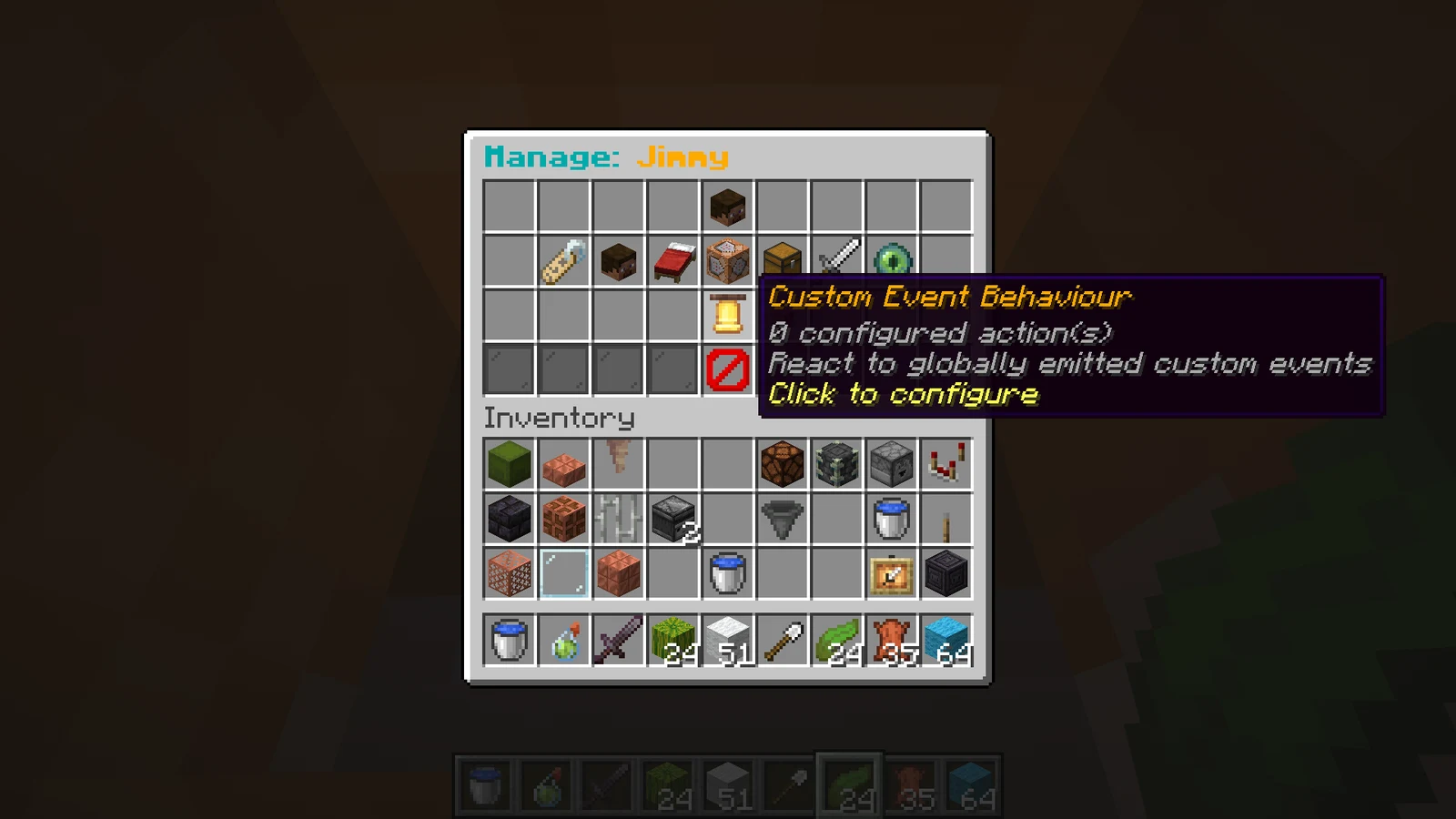
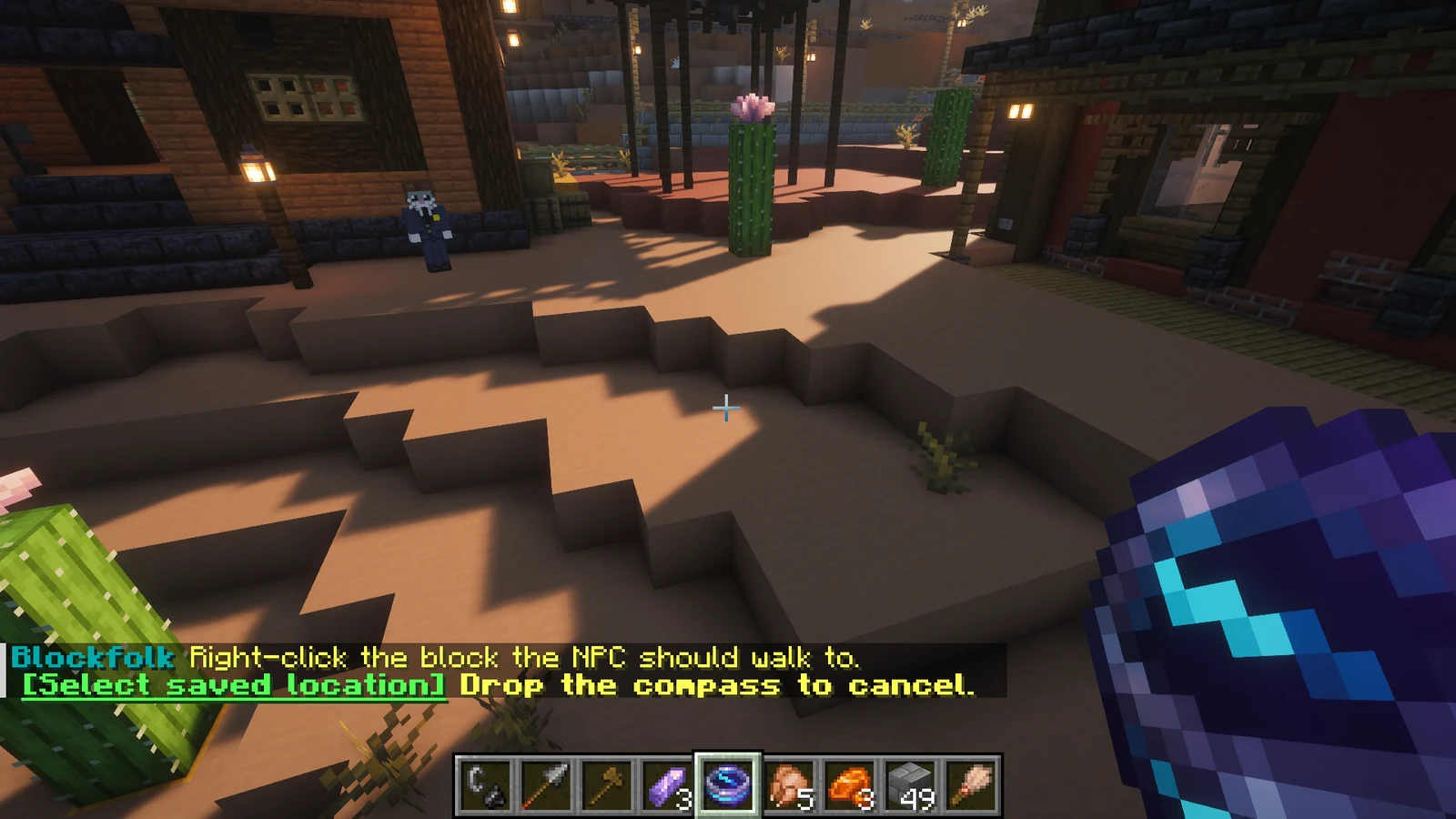
Reuse one definition across multiple independently stored instances
Configure skins, equipment, names, dialog, inventories, routes, and behavior without hand-editing YAML
Choose standing, crouching, sleeping, sitting, swimming/crawling, or fall flying under NPC Properties → Pose; use Sitting in behavior, waypoint, and question animations
React to interaction, proximity, combat, time, waypoints, custom events, and other supported triggers
Build NPC-owned walking routes in the world and reuse named destinations across NPCs
Define attacks, targets, alliances, loot, experience, respawn timing, and nearby boss bars
Build shared custom attacks with origins, spheres, cones, beams, teleport, timing, charged weapon hits, combined effects, and previews; assign them through Fighting & Survival or cast them with a Use Ability behaviour action
Sell items through the vanilla trading screen with unlimited, item-for-item trades; build each shop once and open it from any NPC with the Open Shop behaviour action
Mine configured resources, harvest crops, and transfer items to or from containers
Use OpenRouter for contextual conversation and validated, administrator-approved actions
Expose persistent Blockfolk NPCs directly to BeautyQuests
Run Paper with Java 25 or newer, built for Minecraft 26.2. No other plugins are required.
Stop the server, download Blockfolk-1.6.0.jar, and place it in plugins/. When upgrading, replace the previous JAR.
Start the server and check the console. Review the generated configuration with the release documentation.
/bf createCreate a reusable NPC preset in the dialog, configure it in the editor, and spawn a persistent instance.
| Command | Description |
|---|---|
/bf or /blockfolk | Open the NPC preset browser |
/bf create | Open the NPC creation dialog for name, HP, respawn time, and basic properties |
/bf create <name> | Open the creation dialog with the name prefilled |
/bf npc <name> | Open a preset editor; names are tab-completed |
/bf npc <name> edit | Open the same preset editor explicitly |
/bf npc <name> spawn | Spawn a persistent instance of a preset |
/bf npc <name> duplicate | Duplicate a preset with (copy) appended to its name |
/bf abilities | Open the shared attack library and editor |
/bf shop | Open the shared shop library |
/bf shop create <name> | Create a shared shop |
/bf shop <shop> [rename|preview] | Rename a shop or preview its trades |
/bf routes | Open the route manager |
/bf locations | Open the global-location manager |
| Permission | Description | Default |
|---|---|---|
blockfolk.admin | Create, edit, spawn, and manage Blockfolk NPCs | op |
| Setting | Purpose |
|---|---|
chat-input-timeout-seconds | Time allowed for administrator text input |
question-timeout-seconds | Time allowed for a player to answer an NPC question |
proximity-transition-cooldown-seconds | Debounces rapid approach and leave transitions |
mineskin-api-key | Optional key for higher MineSkin request limits |
openrouter.* | Endpoint, key, model, timeout, and response limit for optional AI behavior |
ai-control.* | AI cooldown, memory, perception, mining, and inventory safeguards |
Blockfolk v1.6.0
Blockfolk 1.6.0 adds shared shops in the vanilla trading screen and an Open Shop behaviour action, building on the custom ability shapes, triggers, and effects added in 1.5.0.
Bug reports, questions, and contributions go to this plugin’s GitHub repository.
Gameplay
Create milestones with claimable rewards, linked prerequisites, and persistent player progress.


World management
Save named regions, compare snapshots, and restore earlier versions of your world.


Server event
Run configurable night events with seven specialised encounters, live difficulty profiles, and themed abilities.