Customization & equipment
Appearance
The preset editor supports a display name and a skin URL or texture hash. Enter default when editing the skin to clear it. External image URLs are resolved through MineSkin; a MineSkin API key is optional but raises the public rate limit.
Under NPC Properties, you can configure:
| Property | Effect |
|---|---|
| Pushable | Allows players to move the NPC by colliding with it. |
| Show Name | Displays the name hologram above the NPC. |
| Look at Player | Turns toward the nearest player with a subtle body turn. |
| Item Pickup | Collects nearby item entities into that instance's temporary inventory. |
| Name Color | Cycles the color used for the visible NPC name. |
Equipment
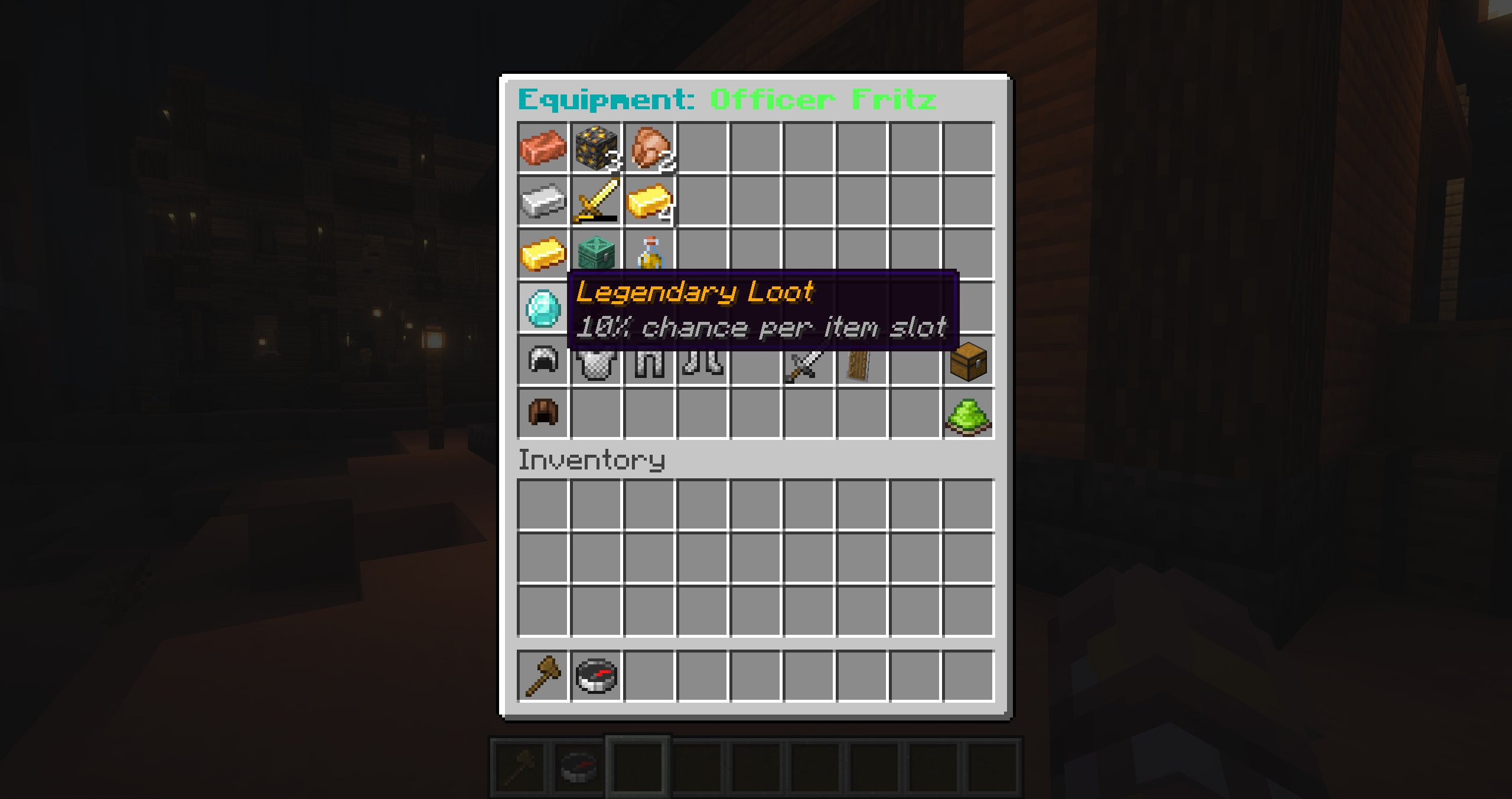
The equipment editor stores helmet, chestplate, leggings, boots, main-hand item, and off-hand item. Select Save Equipment to persist the contents and refresh every spawned instance.
Loot
The upper part of the equipment editor is a loot table. Every filled slot rolls independently when the NPC dies. Rows use these chances:
| Tier | Chance per filled slot |
|---|---|
| Common | 100% |
| Uncommon | 50% |
| Rare | 25% |
| Legendary | 10% |
Loot is separate from the armor and held-item slots below it.
Temporary inventory
Every instance can carry a temporary 36-slot inventory at runtime. Item pickup and several AI capabilities use it. The preset's Temporary Inventory AI option controls whether AI can perceive and manipulate those contents; it is separate from the preset equipment and loot editor.